

Building a Homelab for Pentest Simulation
11/26/2025
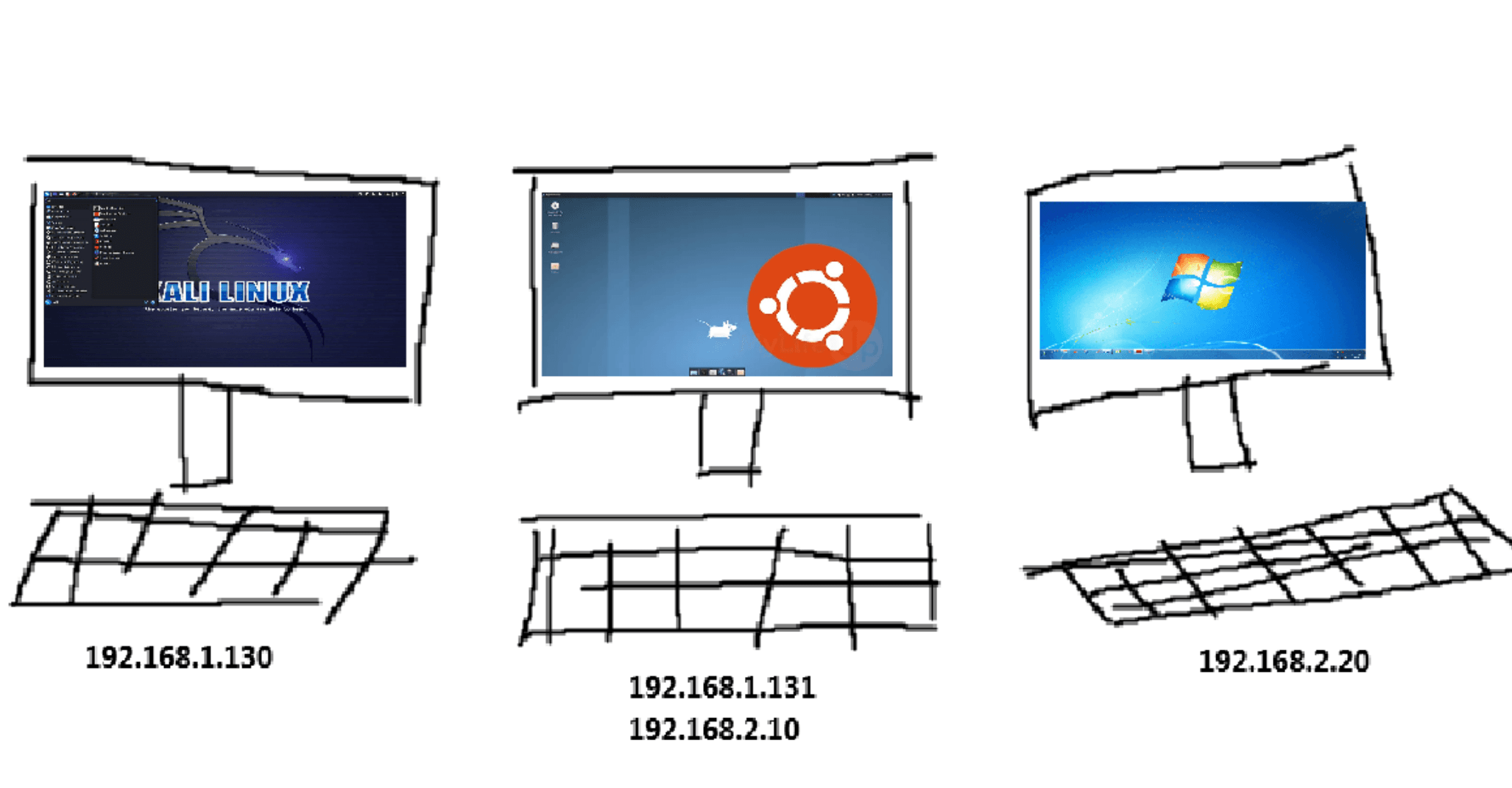
Goal: Building a virtual laboratory composed of vulnerable web servers on a DMZ network, and an internal network with various vulnerable standalone systems to practice enumeration, exploitation, and pivoting techniques.
Resources:
Attacker Host: Kali VM
Vulnerable VMs: (Retrieved from Vulnyx)
Setting up the Laboratory:
After downloading each virtual machine .ova file from Vulnyx/Kali, set them up on Virtualbox using the import utility. Repeate this step for every vm using their corresponding .ova file.
On Virtualbox, follow the following steps:
Source: Local File System
File: (add vm .ova file using file explorer)
Click on Finish


Creating network interfaces
On Virtualbox, follow these steps to create the DMZ network.
Tools > Network manager > NAT Networks > Create
Name: DMZ_Network
IPv4 Prefix: 10.0.2.0/24
Apply the Changes


On Virtualbox, follow these steps to create the Internal network.
Tools > Network Manager > NAT Networks > Create
Name: Internal_Network
IPv4 Prefix: 192.168.100.0/24
Apply the Changes


Assigning Network Interfaces to each VM
First, set DMZ_Network interface for Kali, Observer, & Admin:
Settings > Network > Adapter 1
Attached to: NAT Network
Name: DMZ_Network
Click OK

Following that, set DMZ_Network interface on adapter 1 and Internal_Network interface on adapter 2 for the pivot system, in my case, Experience.
Settings > Network > Adapter 1
Attached to: NAT Network
Name: DMZ_Network
Click OK
Settings > Network > Adapter 2
Attached to: NAT Network
Name: Internal_Network
Click OK


Finally, set the Internal_Network interface for the end target system located in the internal network, in my case, Lower2.
Settings > Network > Adapter 1
Attached to: NAT Network
Name: Internal_Network
Click OK

Summary
This lab can be used for many purposes, be it to try a specific attack or test a new tool, practicing pivoting and privilege escalation, or even simulating a full penetration test and creating a sample report to improve your skills. The standalone machines can always be switched at your liking, and other network interfaces could be created to practice double pivoting scenarios. I’ve created this lab to prepare for the Junior Penetration Tester (eJPTv2) certification exam from INE. If you are preparing for a similar exam or evaluation, most likely pivoting will be required in order to compromise internal systems. Building an environment similar to the setup presented above can be of great benefit. Pivoting can be somewhat confusing at first, and by creating your own laboratory you will be able to truly understand and interpret the tooling, commands, and actions being performed to make it happen, including the how’s, what’s and why’s.